How to Use a Text Repeater for WhatsApp Messages
Learn how to use a Text Repeater for WhatsApp to repeat messages, words, and emojis instantly. Step-by-step guide with tips, FAQs, and best practices.

Quick Summary
A Text Repeater allows you to duplicate any message, word, or emoji up to thousands of times instantly without manual copy-pasting. Generate your formatted text online and paste it directly into WhatsApp, WhatsApp Web, or social chat apps.
Need to send the same message multiple times on WhatsApp? A Text Repeater lets you repeat words, sentences, emojis, or symbols in seconds without copying and pasting the same text over and over.
Whether you're creating a fun message, testing a chatbot, formatting text, or generating repeated emojis, a browser-based Text Repeater makes the process quick and easy.
Use repeated messages responsibly. Sending excessive or unwanted spam messages may violate WhatsApp's Terms of Service and could lead to temporary or permanent account restrictions.
What Is a WhatsApp Text Repeater?
A WhatsApp Text Repeater is a browser utility that duplicates any text string automatically. Instead of repeatedly pasting text line-by-line, you simply:
- Enter your message or emoji sequence.
- Choose your desired repeat count (e.g. 10, 100, 500 times).
- Select a line break, space, or custom separator.
- Copy the generated result with one click and paste it into WhatsApp.
Because processing runs 100% on your device, no data is stored or sent to external servers.
Why Use a Text Repeater for WhatsApp?
Text repeaters are used across various legitimate personal, professional, and development tasks:
🎉 Celebrations & Greetings
Send festive wishes and repeated birthday messages in chat groups.
🎨 Decorative Emoji Grids
Build artistic emoji walls using heart, fire, or star patterns with Emoji Repeater.
🧪 QA & Chatbot Testing
Stress test chat input fields, character limits, and message rendering for web/mobile apps.
📝 Sample & Placeholder Data
Quickly generate dummy text using Word Repeater for design mockups.
How to Use a Text Repeater (Step-by-Step)
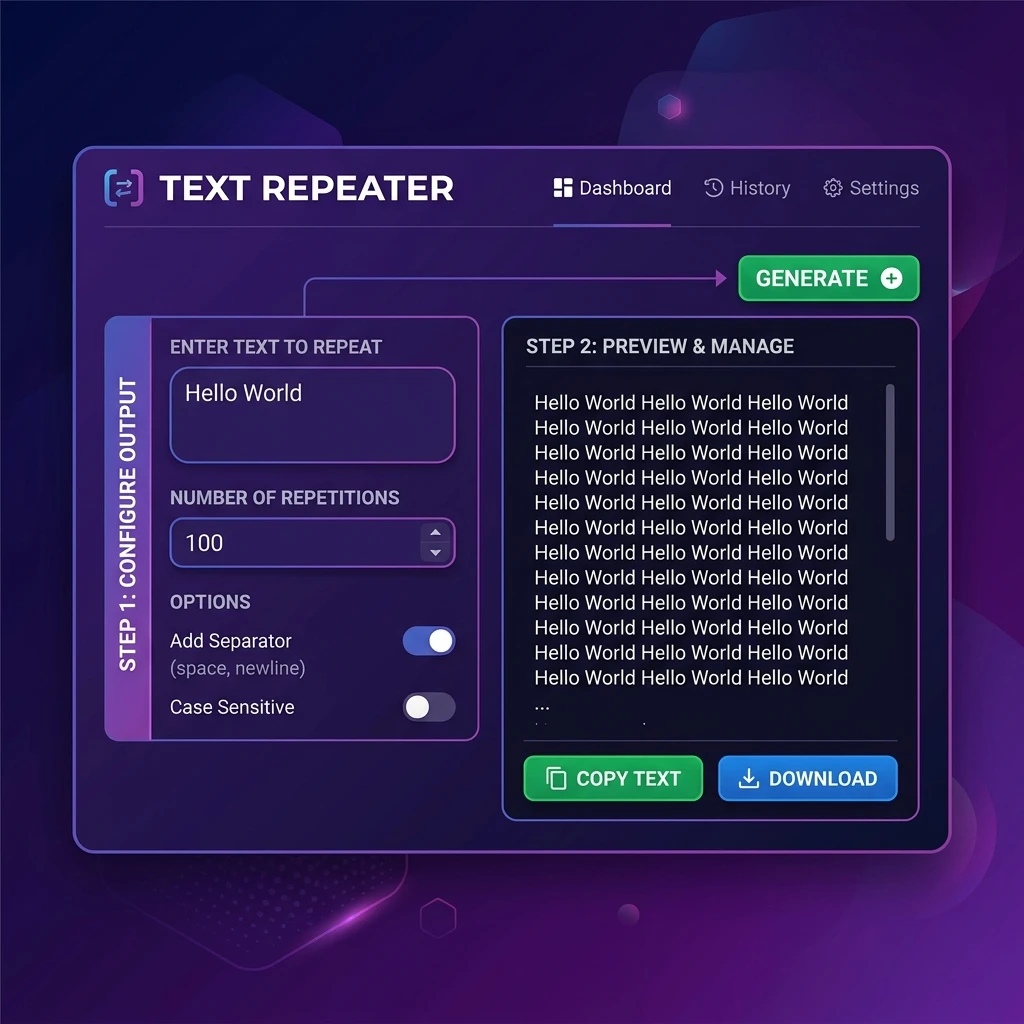
Enter Your Text or Emoji
Type or paste the word, sentence, emoji, or symbol you want to repeat into the input area.
Hello WorldSet the Repeat Count
Specify how many times your string should replicate (e.g., 10, 50, 100, 500, or 1000 repetitions).
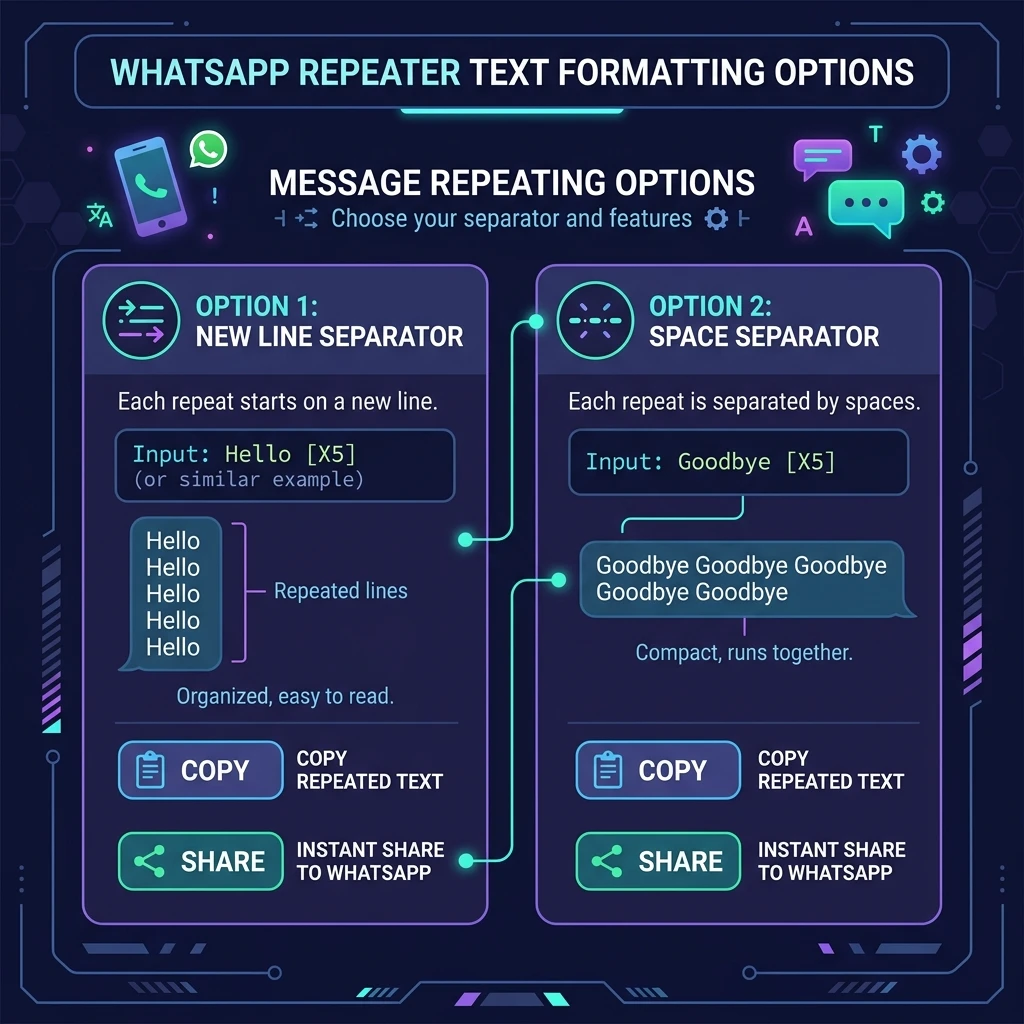
Select Your Line Separator
Choose how repetitions are separated: New Line, Space, Comma, or a custom symbol.
Example (New Line):
Hello
Hello
HelloGenerate & Copy
Click Repeat Text and click Copy Output to store the result in your clipboard.
Paste into WhatsApp
Open WhatsApp on mobile or WhatsApp Web, tap in the message box, and select Paste.
Popular Ways to Use a Text Repeater

Repeat Emojis & Create Text Art
Use our Emoji Repeater to construct eye-catching chat messages:
🔥 Fire Grid:
🔥🔥🔥🔥🔥
🔥🔥🔥🔥🔥

❤️ Love Loop:
❤️ ❤️ ❤️ ❤️ ❤️
Tips for Better Results
- Keep counts practical: Messaging apps may lag if attempting to paste 50,000+ characters in a single message bubble.
- Use New Line for clarity: Long sentences look best with new line breaks, while emojis look great separated by spaces.
- Check character limits: WhatsApp messages support up to 65,536 characters per message. You can verify length using our Character Counter.
- Need blank spaces? Use our Blank Text generator to send empty comments or padded spacing.
Frequently Asked Questions
Is the WhatsApp Text Repeater free?
Yes. The tool is 100% free with unlimited usage and no registration required.
Does it work with WhatsApp Web and Desktop?
Yes. Simply copy the repeated output and paste it into WhatsApp Web or the desktop app.
Is my repeated text private and secure?
Yes. All text processing occurs client-side in your browser. We never store or transmit your data. Read our Privacy Policy for full details.
Related Online Text Utilities
WhatsApp Repeater →
Customized repeater presets for chat apps.
Emoji Repeater →
Repeat symbol & emoji art grids.
Message Repeater →
Repeat multi-line paragraphs.
Word Repeater →
Duplicate single words rapidly.
Blank Text Generator →
Copy invisible unicode spaces.
Character Counter →
Check word, line & char count.
Line Cleaner →
Trim blank lines and spaces.
Remove Duplicates →
Deduplicate text list entries.